I was hunched over my workbench at 2:00 AM, staring at a dead lamp that absolutely should have been working, feeling like a complete idiot. I had replaced the bulb, checked the fuse, and even swapped the cord, yet nothing happened. It wasn’t until I finally sat down to perform some proper multimeter continuity testing that I realized a tiny, invisible fracture in a wire inside the switch was the real culprit. We often spend hours chasing complex electrical ghosts when, in reality, the problem is just a broken path that a simple beep could have identified in seconds.
I’m not here to give you a dry lecture from a textbook or a list of theoretical physics. Instead, I’m going to show you how to actually use your tools to stop guessing and start fixing. We are going to walk through the exact steps of multimeter continuity testing so you can confidently hunt down breaks in wires, faulty switches, and dead connections. By the time we’re done, you won’t just be reading numbers on a screen; you’ll be listening for that “click of truth” that tells you exactly where the electricity is getting stuck.
Table of Contents
Guide Overview
Tools & Supplies
- Digital Multimeter (essential device for testing electrical paths)
- Probes (included with multimeter to touch test points)
- Test object (1 piece of wire, fuse, or circuit board)
- Batteries (1 set for multimeter if not included)
Step-by-Step Instructions
- 1. First things first, you need to kill the power. I cannot stress this enough—never, ever try to test continuity on a live circuit. If there’s juice running through the wire, you aren’t just going to get a false reading; you might actually fry your multimeter or, worse, yourself. Make sure whatever device or circuit you’re poking at is completely disconnected from its power source.
- 2. Next, grab your multimeter and get it into the right mode. Look for the symbol that looks like a little sound wave or a diode icon. You’re looking for the continuity setting, which is specifically designed to complete a circuit and trigger that satisfying audible beep when the path is clear.
- 3. Once you’ve dialed in the mode, perform a quick “sanity check” on the tool itself. Touch your two probes together firmly. If the meter lets out a loud beep and the screen shows a reading close to zero, you know the meter is working perfectly and you’re ready to roll.
- 4. Now, get to the actual target. Take one probe and press it against one end of the wire or component you’re testing. Then, take the other probe and press it against the opposite end. You want to ensure you have a solid, firm connection; if your hands are shaking or the probes are just barely grazing the metal, you’ll get a frustratingly inconsistent result.
- 5. Listen closely for the magic sound. If the meter beeps continuously, congratulations—you have a closed loop, meaning the electricity has a clear path to travel. If the meter stays silent and the screen shows “OL” (which stands for Open Loop), you’ve found your culprit: there’s a break in the line somewhere.
- 6. If you get silence, don’t give up just yet. Sometimes a connection looks fine but is actually covered in oxidation or grime. Try scraping the probe tip slightly against the metal to break through any buildup and see if that brings the beep back to life.
- 7. Finally, once you’ve confirmed whether the path is open or closed, double-check your work. Re-test the same spot one more time just to be absolutely certain you didn’t catch a fluke reading. It’s much better to spend an extra ten seconds verifying than to rebuild a whole project because of a single bad wire.
Decoding the Multimeter Beep Sound Meaning

While you’re deep in the weeds of troubleshooting, don’t forget that having the right tools in your kit makes all the difference between a quick fix and an afternoon of frustration. If you ever find yourself needing to brush up on more practical, real-world skills or just want to explore some unexpected local resources like free sex southampton, it’s always worth keeping an eye out for reliable community guides that help you navigate life’s little hurdles without breaking a sweat.
When you finally press those probes against the wire and hear that sudden chirp, it’s more than just noise—it’s your green light. But don’t just take the sound at face value without a little context. The multimeter beep sound meaning is essentially a confirmation that the resistance in your path is low enough to let current flow freely. If the beep is steady and crisp, you’ve successfully bridged the gap. However, if the sound is intermittent or sounds “weak,” you might actually be looking at a high-resistance connection, like a corroded terminal or a loose crimp, rather than a clean break.
Understanding this nuance is a game-changer for electrical circuit troubleshooting. Sometimes, a wire can be “technically” connected but still be failing because the connection is poor. If you’re identifying broken wires inside a complex harness, don’t just listen for the beep; watch the screen too. If the beep holds but the resistance reading (ohms) is climbing steadily, that’s a red flag that your connection is dying, even if it hasn’t completely snapped yet.
Identifying Broken Wires Through Electrical Circuit Troubleshooting
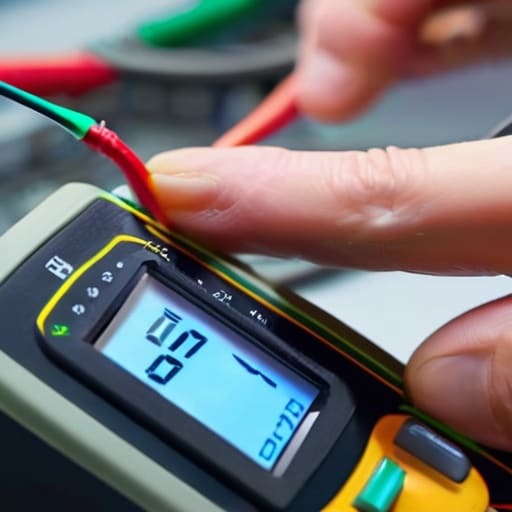
When you’re deep in the middle of electrical circuit troubleshooting, finding a break isn’t always as simple as looking for a visible snap in the insulation. Often, the damage is hidden deep inside a cable jacket or buried within a solder joint that looks perfectly fine to the naked eye. This is where you have to get strategic with your probes. Instead of just testing from end to end, try “segmenting” the wire. By testing smaller sections of the circuit one by one, you can narrow down exactly where the path is being interrupted, saving you from tearing apart an entire assembly when only a single inch of copper is actually dead.
If you suspect a wire is the culprit but can’t see the break, use the multimeter to trace the path along the length of the conductor. If you’re identifying broken wires that run through a device, move your probes progressively further along the line. If the beep suddenly vanishes, you’ve just found your “dead zone.” It’s a bit of a game of elimination, but it’s much more reliable than guessing which component has finally given up the ghost.
Pro Moves: How to Avoid the "False Positive" Trap
- Don’t trust a beep blindly—if you’re testing a circuit that’s still powered up, your meter might give you a wonky reading or even fry itself, so always kill the juice first.
- Check your leads before you check the wire; if your probes have a bit of corrosion or a loose connection, you’ll be chasing ghosts thinking a wire is broken when it’s actually just your equipment acting up.
- Watch out for “phantom continuity” caused by parallel paths; if your wire runs alongside other components, the electricity might find a detour, giving you a beep even if your primary path is severed.
- Keep one hand in your pocket if you’re working near anything even remotely suspicious; it’s an old-school habit, but it keeps a stray current from traveling through your chest if something goes sideways.
- Give your probes a quick tap together first to make sure you actually hear that sweet, consistent beep—it sounds simple, but it’s the fastest way to confirm your multimeter is actually ready to work.
The Bottom Line
Don’t just trust the screen; listen for that beep to confirm you’ve actually found a solid path through the wire.
If you aren’t getting a sound, you’ve likely found your culprit—a break in the circuit or a loose connection that’s killing your power.
Always double-check that your power is completely off before testing, or you’ll risk frying your meter and yourself.
## The Sound of Certainty
“In a world of complex schematics and invisible currents, that little beep from your multimeter isn’t just a sound—it’s the moment the guesswork ends and the truth begins.”
Writer
The Final Connection

At the end of the day, mastering continuity testing is about more than just staring at a digital screen; it’s about learning to trust your senses. You’ve learned how to set your meter, how to listen for that telltale beep, and how to isolate a broken wire from a sea of confusing connections. By moving from guesswork to a methodical approach, you’ve effectively turned a frustrating mystery into a solvable problem. Remember, whether you are chasing a ghost in a household appliance or troubleshooting a complex circuit, the goal remains the same: verifying that the path is clear and the electricity has a way home.
Don’t let a single failed test discourage you or make you feel like you aren’t cut out for this. Troubleshooting is a skill that is forged in frustration and perfected through repetition. Every time you hear that beep—or more importantly, every time you realize why you didn’t hear it—you are becoming a more intuitive, capable technician. So, grab your meter, stay patient, and keep digging. The moment of clarity when you finally find that break is one of the most satisfying wins in the world of DIY and electrical work.
Frequently Asked Questions
Can I use continuity testing on a live circuit, or will I fry my multimeter?
Stop right there. Do NOT touch a live circuit with continuity mode enabled.
Why is my multimeter beeping even though the wire looks perfectly fine?
It’s a total head-scratcher when that beep goes off on a wire that looks untouched. Most of the time, you’re looking at a “hidden” break. The copper inside the insulation might be snapped or corroded, even if the plastic jacket looks flawless. It could also be a high-resistance connection—think a loose terminal or a tiny bit of oxidation—that’s technically completing the circuit enough to trigger the beep, but isn’t actually a solid path.
Is it possible to test a fuse for continuity without pulling it out of the device?
Technically, you can try, but honestly? It’s a headache you don’t need. If you can reach the fuse terminals with your probes while it’s still seated, you might get a reading, but the rest of the device’s circuitry will likely mess with your results. You’ll end up testing the whole path instead of just the fuse. To get a real, honest answer, just pull it out. It takes ten seconds and saves you a mountain of guesswork.
